You have started selling online and customers can purchase products directly from your store. That is a strong beginning, but how satisfied are they? How easy is it to find an item, complete a purchase, and make a payment?
Analytics can reveal where customers experience difficulties. It can also show how the store should be improved for different devices, how product pages can become more useful, and where checkout can be simplified.
Make purchasing possible on every device
A customer should be able to buy without obstacles from a desktop computer, laptop, tablet, or mobile phone. Suppose analytics shows that many people visit from a phone but very few complete a purchase. This may mean that product pages are difficult to view or that checkout creates unnecessary friction.
One solution is responsive design, which adapts the store to different screen sizes. In some cases, a dedicated mobile shopping experience may also be appropriate. The correct choice depends on the store, its customers, and the functions they need.
Improve navigation and search
Analytics may show that many people enter the store but do not explore the products. In that case, customers may need an easier way to find what interests them. Navigation should be simple to understand and use.
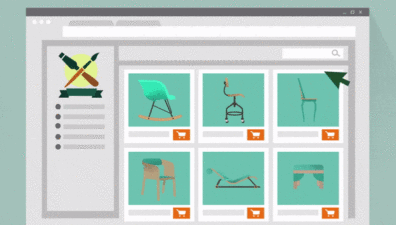
Organize inventory with categories and subcategories. A furniture store, for example, might start with rooms and then group the relevant products into beds, desks, dining tables, and other categories. Test the structure with friends, loyal customers, or real users to learn which organization feels most natural.
Some visitors will not want to browse multiple categories. Add a clear search function so they can go directly to a specific product.
Strengthen product pages
If customers view products but do not add anything to the cart, the product page may not provide enough confidence. You can show a video of the product being made or used, add a gallery from several angles, and provide an accurate description with dimensions and other important details.
Images should be high quality but still load quickly. Good presentation is valuable only when customers do not have to wait for it.
Reduce abandoned checkouts
Customers may add items to the cart and leave before payment. A customer account can make future purchases easier by securely remembering delivery details and preferred payment information, where appropriate.
An account can also help customers review previous purchases, recent searches, or recently viewed products. Relevant recommendations can make the experience more useful. Someone who purchased a dining table, for example, may also be interested in chairs that match its design and materials.
Loyal customers can be encouraged with relevant offers and discounts. The shopping cart and account system should support these options without making the first purchase unnecessarily complicated.
Online-store optimization is continuous
Building and improving an online store is an ongoing process. It requires an understanding of the devices customers use, a logical catalogue, useful product information, and a flexible checkout. Continuous review of customer behaviour helps the store offer a better experience to both current and future buyers.